# WordPress Integration

##### Why WordPress

[![WordPress Integration-IMG1.png](https://help.marvinxr.com/uploads/images/gallery/2025-03/wordpress-integration-img1.png)](https://help.marvinxr.com/uploads/images/gallery/2023-10/3aBimage.png)

Around 810 million websites use WordPress as of 2023, according to our best estimations. This represents around 43% of all websites. And that figure is growing rapidly. In fact, over 500 sites are built with WordPress every day, compared to just 60-80 on competitor platforms like Shopify and Squarespace. A lot of them are hosting ecommerce websites while planning for adopting 3D ecommerce. Marvin XR wordpress integration opens up the opportunity to easily start using product 3D visualistion and WebAR capabilities.

##### WordPress Integration Steps

1\. Create a Surface AR campaign. For product 3D-AR visualization, this is the most suitable AR experience for ecommerce.

[![WordPress Integration-IMG2.png](https://help.marvinxr.com/uploads/images/gallery/2025-03/wordpress-integration-img2.png)](https://help.marvinxr.com/uploads/images/gallery/2023-10/IkAimage.png)
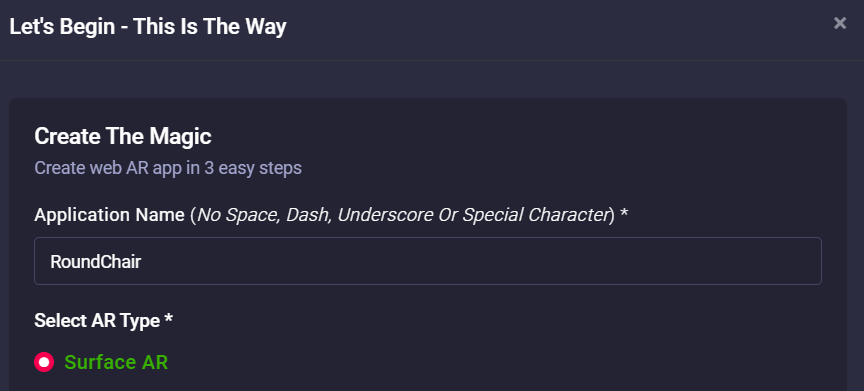
2\. Click **View Details** on your AR campaign card and go to **AR Show** menu.

[![WordPress Integration-IMG3.png](https://help.marvinxr.com/uploads/images/gallery/2025-03/wordpress-integration-img3.png)](https://help.marvinxr.com/uploads/images/gallery/2023-10/q40image.png)

[![image.png](https://help.marvinxr.com/uploads/images/gallery/2026-02/scaled-1680-/yYJimage.png)](https://support.marvinxr.com/uploads/images/gallery/2026-02/yYJimage.png)
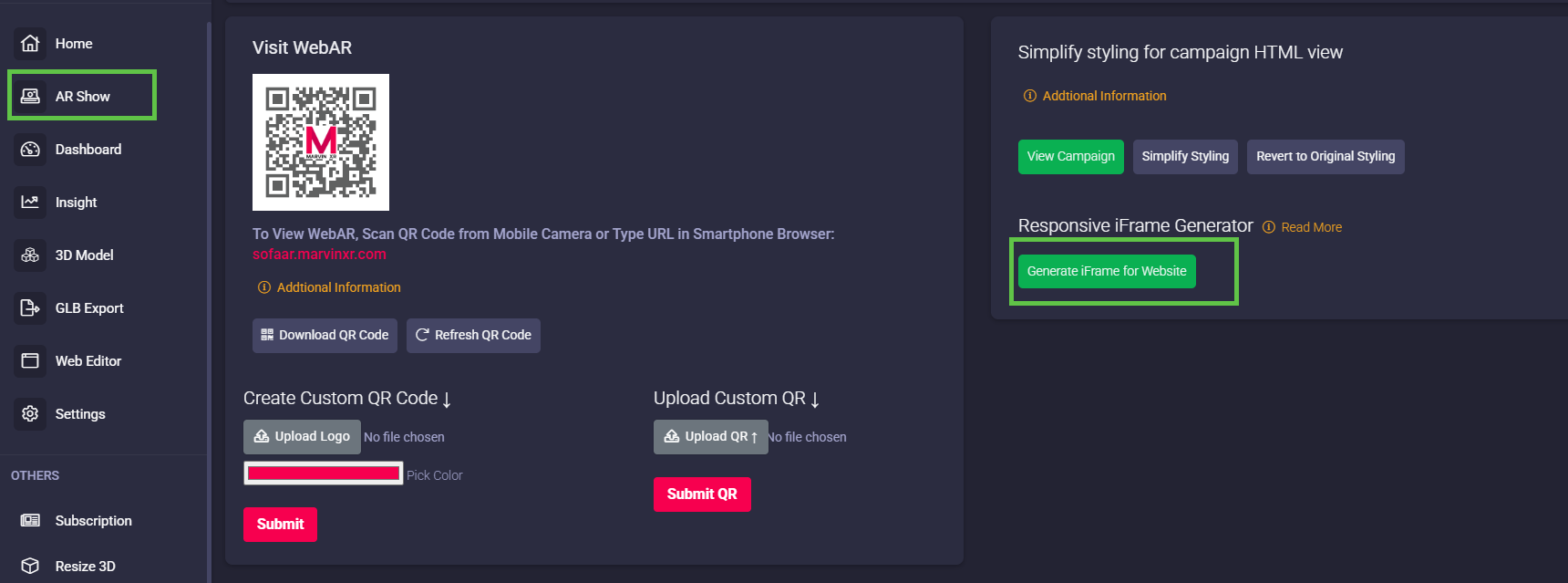
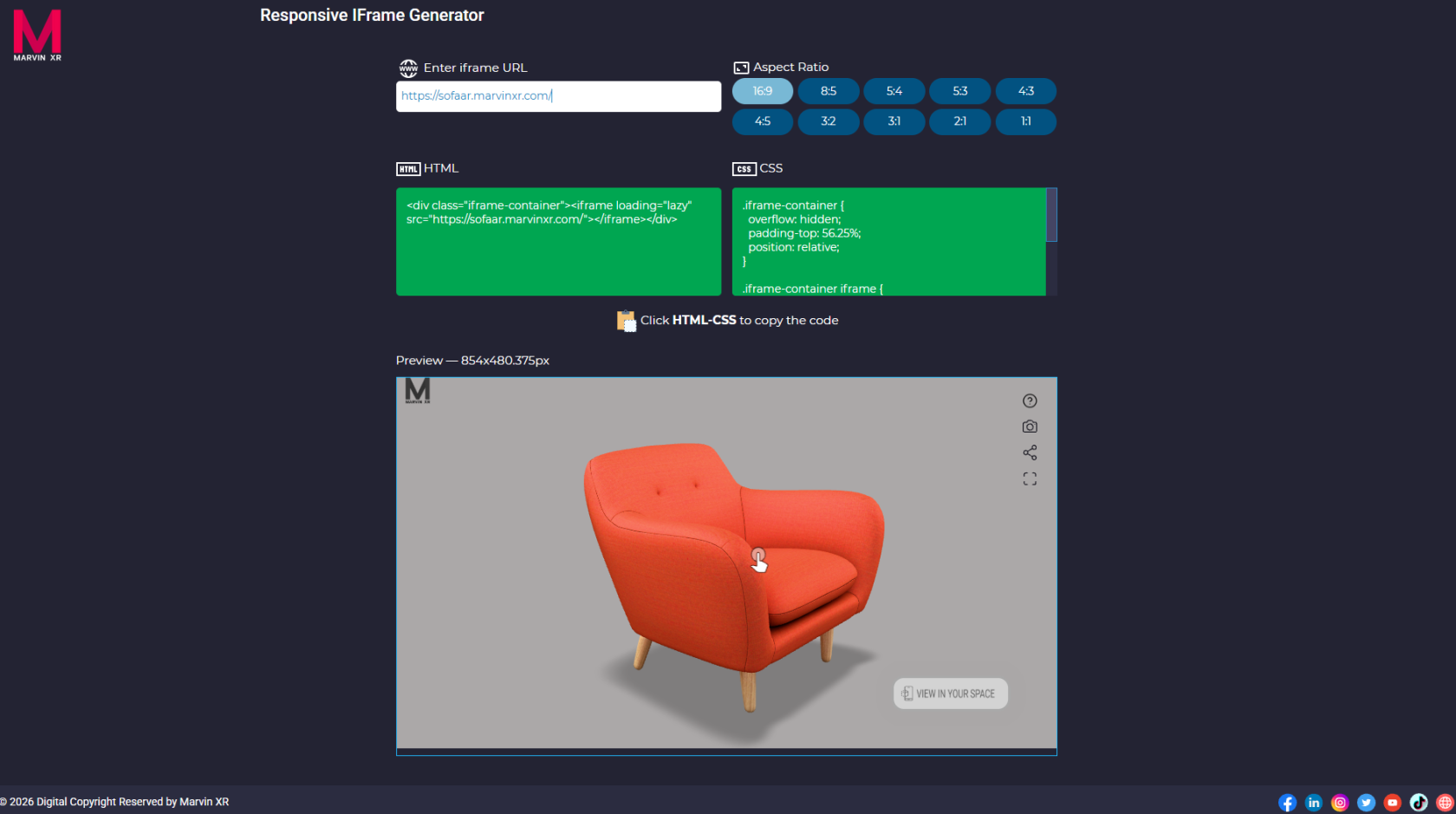
3\. Click on **Generate iFrame for Website** to get the iFrame syntax. Click on **Copy to Clipboard** button.

[![image.png](https://help.marvinxr.com/uploads/images/gallery/2026-02/scaled-1680-/SVPimage.png)](https://support.marvinxr.com/uploads/images/gallery/2026-02/SVPimage.png)
4\. Go to your **WordPress admin account** and click on the product page where you want to embed 3D-WebAR. Add **Custom HTML** Blocks to the page.

[![WordPress Integration-IMG6.png](https://help.marvinxr.com/uploads/images/gallery/2025-03/wordpress-integration-img6.png)](https://help.marvinxr.com/uploads/images/gallery/2023-10/kR7image.png)
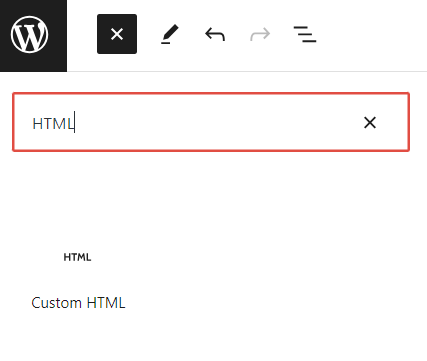
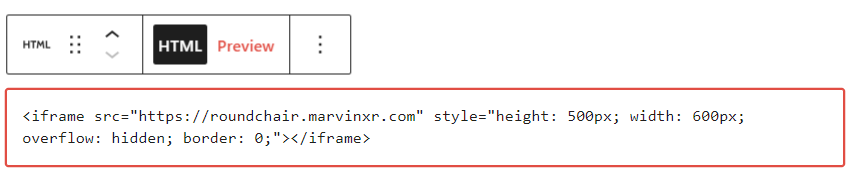
5\. Add the following piece of code - iFrame embedding. Adjust the height and width according to your choice and click on the **Preview** mode to display the results.

<div bis_size="{"x":142,"y":2719,"w":840,"h":0,"abs_x":332,"abs_y":2936}" bis_skin_checked="1" class="CodeMirror cm-s-default" id="bkmrk--6" translate="no"></div><div bis_size="{"x":142,"y":2719,"w":840,"h":22,"abs_x":332,"abs_y":2936}" bis_skin_checked="1" class="CodeMirror cm-s-default" id="bkmrk-1" translate="no"><div bis_size="{"x":142,"y":2719,"w":840,"h":22,"abs_x":332,"abs_y":2936}" bis_skin_checked="1" class="CodeMirror-scroll" tabindex="-1"><div bis_size="{"x":142,"y":2719,"w":840,"h":22,"abs_x":332,"abs_y":2936}" bis_skin_checked="1" class="CodeMirror-sizer"><div bis_size="{"x":142,"y":2719,"w":840,"h":22,"abs_x":332,"abs_y":2936}" bis_skin_checked="1"><div bis_size="{"x":142,"y":2719,"w":840,"h":22,"abs_x":332,"abs_y":2936}" bis_skin_checked="1" class="CodeMirror-lines" role="presentation"><div bis_size="{"x":142,"y":2719,"w":840,"h":22,"abs_x":332,"abs_y":2936}" bis_skin_checked="1" role="presentation"><div bis_size="{"x":142,"y":2719,"w":840,"h":22,"abs_x":332,"abs_y":2936}" bis_skin_checked="1" class="CodeMirror-code" role="presentation"><div bis_size="{"x":142,"y":2719,"w":840,"h":22,"abs_x":332,"abs_y":2936}" bis_skin_checked="1"><div aria-hidden="true" bis_size="{"x":142,"y":2719,"w":840,"h":22,"abs_x":332,"abs_y":2936}" bis_skin_checked="1" class="CodeMirror-gutter-wrapper"><div bis_size="{"x":142,"y":2719,"w":840,"h":22,"abs_x":332,"abs_y":2936}" bis_skin_checked="1" class="CodeMirror-linenumber CodeMirror-gutter-elt">  
</div></div></div></div></div></div></div></div></div></div><div id="bkmrk-1-%3Ciframe-src%3D%22https"><div class="cm-editor ͼ1 ͼ2 ͼ4 ͼ1p"><div aria-live="polite" class="cm-announced">  
</div><div class="cm-scroller" tabindex="-1"><div aria-hidden="true" class="cm-gutters"><div class="cm-gutter cm-lineNumbers"><div class="cm-gutterElement">  
</div><div class="cm-gutterElement">1</div></div></div><div aria-multiline="true" aria-readonly="true" autocapitalize="off" autocorrect="off" class="cm-content" contenteditable="true" data-language="html" role="textbox" spellcheck="false" translate="no" writingsuggestions="false"><div class="cm-line">&lt;<span class="ͼ1i">iframe</span> src=<span class="ͼ1e">"https://roundchair.marvinxr.com"</span> style=<span class="ͼ1e">"</span>height: <span class="ͼ1d">480</span><span class="ͼ1b">px</span>; width: <span class="ͼ1d">580</span><span class="ͼ1b">px</span>; overflow: <span class="ͼ1c">hidden</span>; border: <span class="ͼ1d">0</span>;<span class="ͼ1e">"</span>&gt;&lt;/<span class="ͼ1i">iframe</span>&gt;</div></div><div aria-hidden="true" class="cm-layer cm-layer-above cm-cursorLayer">  
</div><div aria-hidden="true" class="cm-layer cm-selectionLayer">  
</div></div></div></div><div bis_size="{"x":142,"y":2809,"w":840,"h":22,"abs_x":332,"abs_y":3026}" bis_skin_checked="1" class="CodeMirror cm-s-default" id="bkmrk--8" translate="no"><div bis_size="{"x":142,"y":2809,"w":840,"h":0,"abs_x":332,"abs_y":3026}" bis_skin_checked="1" class="CodeMirror-scroll" tabindex="-1"><div bis_size="{"x":142,"y":2809,"w":840,"h":0,"abs_x":332,"abs_y":3026}" bis_skin_checked="1" class="CodeMirror-sizer"><div bis_size="{"x":142,"y":2809,"w":840,"h":0,"abs_x":332,"abs_y":3026}" bis_skin_checked="1"><div bis_size="{"x":142,"y":2809,"w":840,"h":0,"abs_x":332,"abs_y":3026}" bis_skin_checked="1" class="CodeMirror-lines" role="presentation"><div bis_size="{"x":142,"y":2809,"w":840,"h":0,"abs_x":332,"abs_y":3026}" bis_skin_checked="1" role="presentation"><div bis_size="{"x":142,"y":2809,"w":840,"h":0,"abs_x":332,"abs_y":3026}" bis_skin_checked="1" class="CodeMirror-code" role="presentation">  
</div></div></div></div></div><div bis_size="{"x":142,"y":2809,"w":840,"h":0,"abs_x":332,"abs_y":3026}" bis_skin_checked="1" class="CodeMirror-gutters">  
</div></div><div bis_size="{"x":142,"y":2809,"w":840,"h":22,"abs_x":332,"abs_y":3026}" bis_skin_checked="1" class="CodeMirror-copy"><svg bis_size="{"x":142,"y":2810,"w":16,"h":16,"abs_x":332,"abs_y":3027}" height="16" viewbox="0 0 24 24" width="16" xmlns="http://www.w3.org/2000/svg"><path d="M0 0h24v24H0z" fill="none"></path><path d="M16 1H4c-1.1 0-2 .9-2 2v14h2V3h12V1zm3 4H8c-1.1 0-2 .9-2 2v14c0 1.1.9 2 2 2h11c1.1 0 2-.9 2-2V7c0-1.1-.9-2-2-2zm0 16H8V7h11v14z"></path></svg></div></div>[![WordPress Integration-IMG7.png](https://help.marvinxr.com/uploads/images/gallery/2025-03/wordpress-integration-img7.png)](https://help.marvinxr.com/uploads/images/gallery/2023-10/n1ximage.png)

6\. Now the integration is done. Publish your product page and share it with millions of users across the internet.

[![WordPress Integration-IMG8.png](https://help.marvinxr.com/uploads/images/gallery/2025-03/wordpress-integration-img8.png)](https://help.marvinxr.com/uploads/images/gallery/2023-10/cxQimage.png)
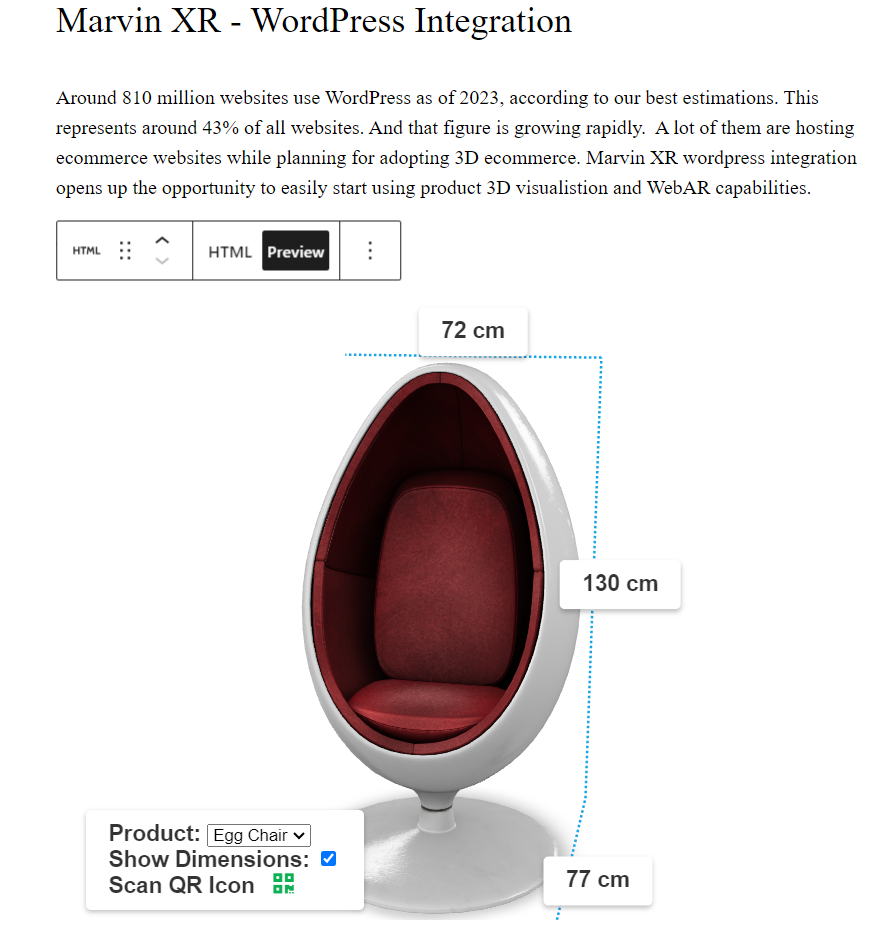
Congratulations! Now you have successfully integrated 3D AR view for your WordPress ecommerce store. The iFrame address should point to the AR campaign. If you have a custom DNS mapped name, you can use it to the iFrame address too.

All the analysis will be collected inside Marvin XR campaign dashboard and insight for your reference. If you want to use AR campaigns in different channels at the same time, you can do it too. Now enjoy your WordPress site with next generation customer experience and see the revenue growth.