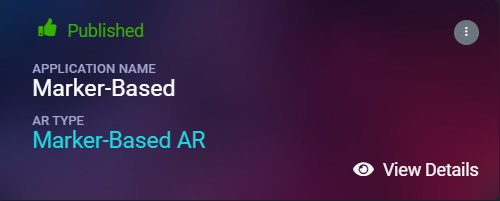
How to create marker-based AR campaign
What is Marker based AR?
Do you know that the fastest way of invoking WebAR experience is to use marker-based AR. The marker looks more or less like an advanced QR or barcode. When users focus their camra to the marker, the AR experience comes up.
When a marker is found by web app camera, it's possible to show some kind of AR content on top of it, or near it. The content can be a 3D model (static/animated) or an image or a mixture of text, image and HTML components (like buttons for CTAs). Marvin XR is using world's most popular marker-based web AR backbone - A-Frame.
There is another important factor of marker-based Augmented Reality. The marker-based AR experience is tied to the marker. This means that the placement of digital elements depends on the location of the marker. In most cases, the experience will display on top of the marker and move along with the marker as it is turned or rotated.
Use Cases: Augmented Art, learning (Augmented books), Augmented flyers, advertising etc. to bring the best AR experience for users.
Step by Step Guide to Create Marker based AR
Follow the below steps to build your first AR campaign within minutes. Go to the central dashboard (after you login, you land up here) and click on any of the buttons - Create AR Campaign or Add New Campaign.
1. Provide a name for your campaign.
Please remember not to use any space, underscore or special characters within the campaign name
(Read here the reasons).
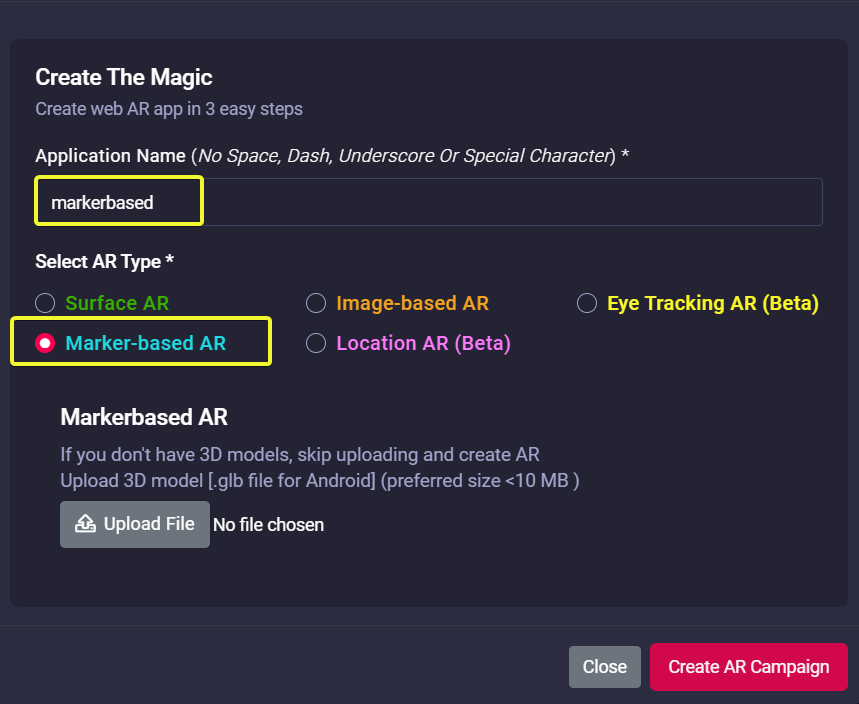
2. Upload 3D model (GLB) here.
If you don't have a 3D model, no worries - there's default 3D model in the template (you can change it at any time later).
Click on the Create AR Campaign button to finish the setup.
3. Open your campaign in your smartphone and focus on the marker. The AR will show up.

Congratulations! Now you have created your first marker-based AR campaign. Enjoy the experience.